



As a supplier of Fanuc CNC Lathes, I often receive inquiries about programming linear interpolation on these high - precision machines. Linear interpolation is a fundamental concept in CNC machining, allowing for the creation of straight - line tool paths between two points. In this blog post, I'll guide you through the process of programming linear interpolation on a Fanuc CNC Lathe, sharing insights and best practices along the way.


Understanding Linear Interpolation
Before delving into the programming details, it's essential to understand what linear interpolation is. In CNC machining, linear interpolation refers to the movement of the cutting tool in a straight line from one point to another. This is achieved by coordinating the movement of the machine's axes (usually the X and Z axes in a lathe) at a controlled rate. The machine calculates the intermediate points between the start and end points, ensuring a smooth and accurate linear motion.
Prerequisites for Programming
To program linear interpolation on a Fanuc CNC Lathe, you'll need a basic understanding of G - codes and M - codes. G - codes are used to control the motion of the machine, while M - codes are used for auxiliary functions such as coolant control and spindle speed. Familiarity with the machine's control panel and the Fanuc programming language is also necessary.
Step - by - Step Guide to Programming Linear Interpolation
1. Set Up the Program
The first step is to create a new program on the CNC lathe's control panel. You can do this by accessing the program edit mode and entering a unique program number. For example, you might start with "O1000", where "O" indicates the program number and "1000" is the specific number you've chosen.
O1000
2. Set the Initial Conditions
Before starting the linear interpolation, you need to set the initial conditions such as the spindle speed, feed rate, and tool selection. For instance, to set the spindle speed to 1000 RPM and select tool number 1, you can use the following codes:
M03 S1000 ; Spindle on, clockwise rotation at 1000 RPM
T0101 ; Select tool number 1 and set the offset
3. Define the Starting Point
Next, you need to define the starting point of the linear interpolation. This is done using the G00 code, which is a rapid positioning code. For example, if you want to move the tool to the starting point with X = 50 and Z = 100, you can use the following code:
G00 X50 Z100 ; Rapid positioning to the starting point
4. Program the Linear Interpolation
To perform linear interpolation, you'll use the G01 code. This code tells the machine to move the tool in a straight line at a specified feed rate. For example, if you want to move the tool from the starting point (X = 50, Z = 100) to the end point (X = 80, Z = 50) at a feed rate of 0.2 mm/rev, you can use the following code:
G01 X80 Z50 F0.2 ; Linear interpolation to the end point at a feed rate of 0.2 mm/rev
5. End the Program
Once the linear interpolation is complete, you need to end the program. You can do this by using the M30 code, which stops the spindle, turns off the coolant, and returns the program pointer to the beginning of the program.
M30 ; End of program
Tips and Best Practices
Feed Rate Selection
The feed rate is a critical parameter in linear interpolation. A too - high feed rate can cause poor surface finish and tool wear, while a too - low feed rate can result in long machining times. It's important to select the feed rate based on the material being machined, the tool geometry, and the desired surface finish.
Tool Selection
Choosing the right tool is also essential for successful linear interpolation. Different materials and machining operations require different types of tools. For example, high - speed steel tools are suitable for general machining, while carbide tools are better for high - speed and high - precision machining.
Error Checking
Before running the program, it's a good practice to perform error checking. This can be done by using the machine's simulation function to visualize the tool path and check for any potential errors such as collisions or incorrect movements.
Applications of Linear Interpolation on Fanuc CNC Lathes
Linear interpolation has a wide range of applications on Fanuc CNC lathes. It can be used for simple operations such as turning straight diameters and facing operations, as well as more complex operations such as creating chamfers and tapers.
Turning Straight Diameters
To turn a straight diameter, you can use linear interpolation to move the tool along the X - axis while keeping the Z - axis stationary. For example, to turn a diameter from 50 mm to 40 mm, you can use the following code:
G00 X50 Z10 ; Rapid positioning to the starting point
G01 X40 F0.2 ; Linear interpolation to turn the diameter at a feed rate of 0.2 mm/rev
Facing Operations
For facing operations, you can use linear interpolation to move the tool along the Z - axis while keeping the X - axis stationary. For example, to face a workpiece from Z = 10 to Z = 0, you can use the following code:
G00 X50 Z10 ; Rapid positioning to the starting point
G01 Z0 F0.2 ; Linear interpolation to face the workpiece at a feed rate of 0.2 mm/rev
Resources for Further Learning
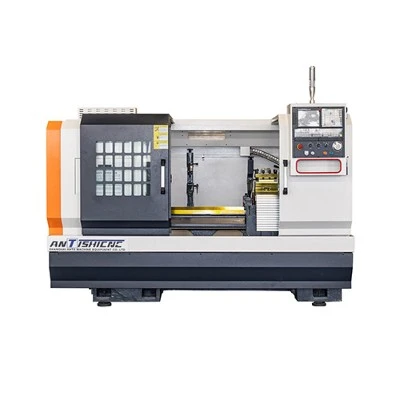
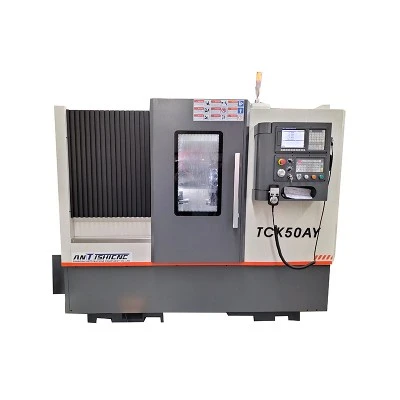
If you're interested in learning more about programming linear interpolation on Fanuc CNC lathes, there are several resources available. You can refer to the CNC Horizontal Lathe for more information on horizontal lathe operations. The Horizontal Slant Bed Lathe provides insights into the features and capabilities of slant bed lathes, while the Horizontal CNC Turning offers detailed information on horizontal CNC turning processes.
Conclusion
Programming linear interpolation on a Fanuc CNC Lathe is a fundamental skill that every CNC machinist should master. By following the steps outlined in this blog post and adhering to the best practices, you can create accurate and efficient linear tool paths on your lathe. Whether you're a beginner or an experienced machinist, understanding linear interpolation will enhance your machining capabilities and allow you to produce high - quality parts.
If you're interested in purchasing a Fanuc CNC Lathe or have any questions about programming and operation, please feel free to contact us for a detailed discussion. We're here to provide you with the best solutions for your machining needs.
References
- Fanuc CNC Lathe Operator's Manual
- CNC Machining Handbook


