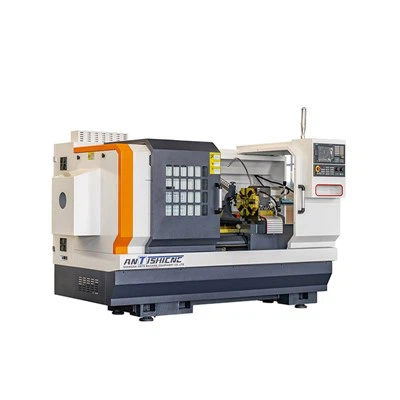
How to troubleshoot the automatic tool changer on a Fanuc Cnc Lathe
As a supplier of Fanuc CNC lathes, I understand the importance of a well - functioning automatic tool changer (ATC). The ATC is a crucial component of a CNC lathe, as it allows for quick and accurate tool changes, which significantly improves productivity and machining efficiency. However, like any mechanical and electrical system, the ATC can encounter problems. In this blog, I will share some common issues and troubleshooting steps for the automatic tool changer on a Fanuc CNC lathe.
Common Issues with the Automatic Tool Changer
Tool Change Failure
One of the most frequent problems is a tool change failure. This can occur when the ATC fails to pick up or release the tool properly. There could be several reasons for this issue. Mechanical problems such as a jammed tool holder, worn - out gears, or misaligned components can prevent the smooth operation of the tool change mechanism. Electrical issues, like a faulty sensor, a broken wire, or a malfunctioning control board, can also lead to tool change failures.
Incorrect Tool Selection
Sometimes, the ATC may select the wrong tool. This can be due to errors in the tool table settings in the CNC control system. If the tool numbers are not correctly assigned or if there are discrepancies between the physical tools and the programmed data, the wrong tool may be selected. Additionally, problems with the tool identification sensors can cause incorrect tool selection.
Noise and Vibration
Excessive noise and vibration during tool changes can indicate a problem. Loose components, such as bolts or nuts, can cause rattling noises. Worn - out bearings or gears can also generate abnormal vibrations. These issues not only affect the performance of the ATC but can also lead to premature wear and tear of the components.
Troubleshooting Steps
Visual Inspection
The first step in troubleshooting the ATC is a thorough visual inspection. Check for any obvious signs of damage, such as broken parts, loose connections, or signs of wear. Inspect the tool holders and make sure they are clean and free from debris. Look for any signs of misalignment in the tool change mechanism, such as the arm or the turret. Check the electrical connections, including the wires and connectors, for any signs of damage or corrosion.
Check the Tool Table
If there is an issue with incorrect tool selection, review the tool table settings in the Fanuc CNC control system. Make sure that the tool numbers are correctly assigned to the physical tools. Check for any errors in the tool length compensation values and the tool radius compensation values. It is also a good idea to verify the tool offset data to ensure accuracy.
Test the Sensors
The sensors in the ATC are responsible for detecting the position of the tools and ensuring proper tool change operations. Use a multimeter or an appropriate testing device to check the functionality of the sensors. Check for proper voltage readings and make sure that the sensors are sending the correct signals to the control system. Replace any faulty sensors as necessary.
Lubrication
Proper lubrication is essential for the smooth operation of the ATC. Check the lubrication levels of the moving parts, such as the gears, bearings, and slides. Use the recommended lubricants and follow the manufacturer's guidelines for lubrication intervals. Insufficient lubrication can cause increased friction and wear, leading to various problems.
Check the Control System
The Fanuc CNC control system plays a vital role in the operation of the ATC. Check for any error messages on the control panel. Refer to the Fanuc CNC lathe manual to interpret the error codes and follow the recommended troubleshooting procedures. Sometimes, a simple system reset or a software update can resolve certain issues.

Advanced Troubleshooting
Mechanical Adjustments
If the visual inspection and basic troubleshooting steps do not resolve the problem, more advanced mechanical adjustments may be required. This may involve adjusting the alignment of the tool change arm, the turret, or other components. It is important to follow the manufacturer's specifications and procedures when making these adjustments. Incorrect adjustments can cause further problems and may even damage the ATC.
Component Replacement
In some cases, a faulty component may need to be replaced. This could include worn - out gears, bearings, motors, or control boards. Before replacing a component, make sure to order the correct part from an authorized supplier. Install the new component carefully, following the proper installation procedures.
Importance of Regular Maintenance
Regular maintenance is the key to preventing problems with the automatic tool changer. Establish a maintenance schedule that includes tasks such as cleaning, lubrication, inspection, and calibration. By performing regular maintenance, you can identify and address potential issues before they become major problems. This not only reduces downtime but also extends the lifespan of the ATC and the entire Fanuc CNC lathe.
Conclusion
Troubleshooting the automatic tool changer on a Fanuc CNC lathe requires a systematic approach. By following the steps outlined in this blog, you can effectively diagnose and resolve common issues. Remember, if you encounter a problem that you are not confident in handling, it is always a good idea to consult a professional technician.
If you are in the market for a high - quality CNC lathe, we offer a wide range of products, including CNC Turn Mill Center Machine, Turn Mill Center Machine, and Horizontal Turning Lathe. Our Fanuc CNC lathes are known for their reliability, precision, and performance. Contact us for more information and to discuss your specific requirements. We look forward to working with you to meet your machining needs.
References
- Fanuc CNC Lathe Operator's Manual
- Fanuc Automatic Tool Changer Technical Documentation